Posts Tagged ‘physics’

ss Great Britain: Full Steam Ahead

Sunday, August 25th, 2013
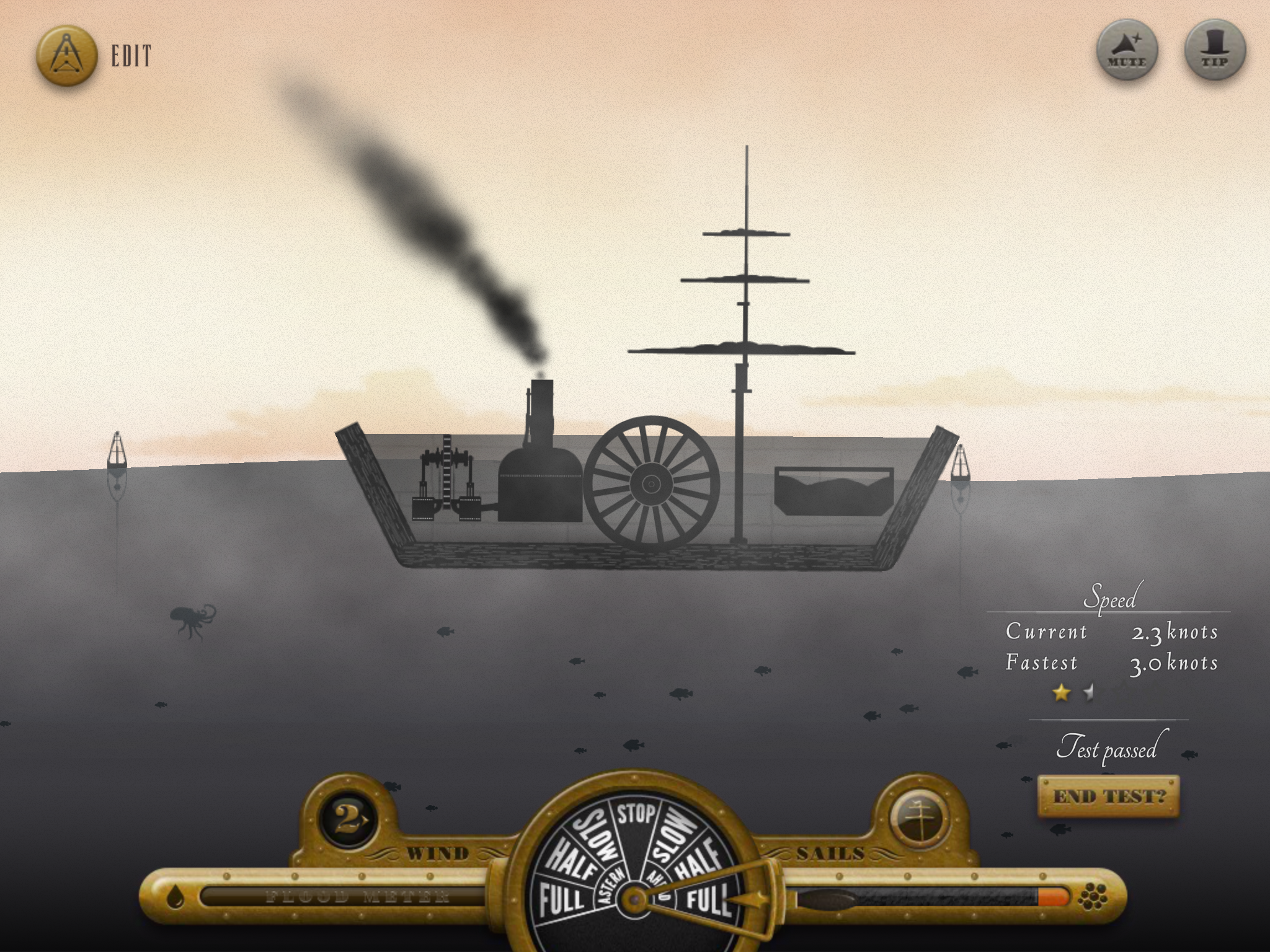
Full Steam AheadDesign, build and sail epic steam ships in this educational game from the ss Great Britain Trust and Aardman. Cross seas, carry cargo, fight tug-o-wars, try for top speeds and more. Make sure your ship’s hull is strong enough to withstand the rage of the sea. If it isn’t up to scratch, it’ll break up and sink!

Play Full Steam Ahead in your web browser.

Download as an app for your Android tablet.

Download for your iPad.

Technical Analysis

This is the first game I’ve released to work on several platforms: in a browser, iOS and Android. It turns out Flash is a superb platform for this, within certain constraints. The two big issues you have to deal with are screen shape/size, and mobile performance.

Screen shape/size

IMG_0058The array of screen resolutions and aspect ratios available now is bewildering. Just on iOS you have everything from a tiny low resolution iPhone 3, way up to a crazy high-res iPad4. Add in Android devices, and you have only two choices – design at a fixed aspect ratio and accept that most devices will have black bars at the edges, or you can make your design re-flow itself to different devices.

We chose the latter, and I’m glad we did. Black bars on devices look lazy. We created the design around the iPad2’s screen, but always with the possibility of it scaling to wider displays. We used a background texture that could scale up until it fit any screen. Then added elements like panels, flourishes and buttons that were driven in code to sit in calculated positions such as the corners, centre-top, absolute centre and so on. The centre content was scaled to fit as best as possible without breaking its aspect ratio, and everything else was scaled by the same amount then repositioned to its fixed positions.

My approach to this in build involves tagging movieclips with various properties to tell them where they should go and how they should scale. This is far easier than specifying the names of everything that should be positioned in code, and helps avoid you becoming lazy about specifying suitable auto positioning properties for things.

We couldn’t use huge high resolution retina textures for everything due to performance and filesize worries. Instead we mask some of the lower resolution textures with overlay noise, and keep detailed things like text and the fancy flourishes in vector so they render at the native resolution.

Performance

Mobile performance is lousy for native Flash display list elements. It’s better with bitmaps than with vectors, and you can take advantage of cacheAsBitmap to get the best of both worlds if you design with it in mind. Native display list elements are far easier to work with than frameworks like Starling however, so I decided to try to stick with them as much as possible. In this game, that means that all the UI screens are native display lists, and when you’re driving your ship around in real time, everything is rendered in Starling on the GPU. This hybrid approach works well, but you have to design the UI with minimal motion in mind. This game suits this approach well, but not all would.
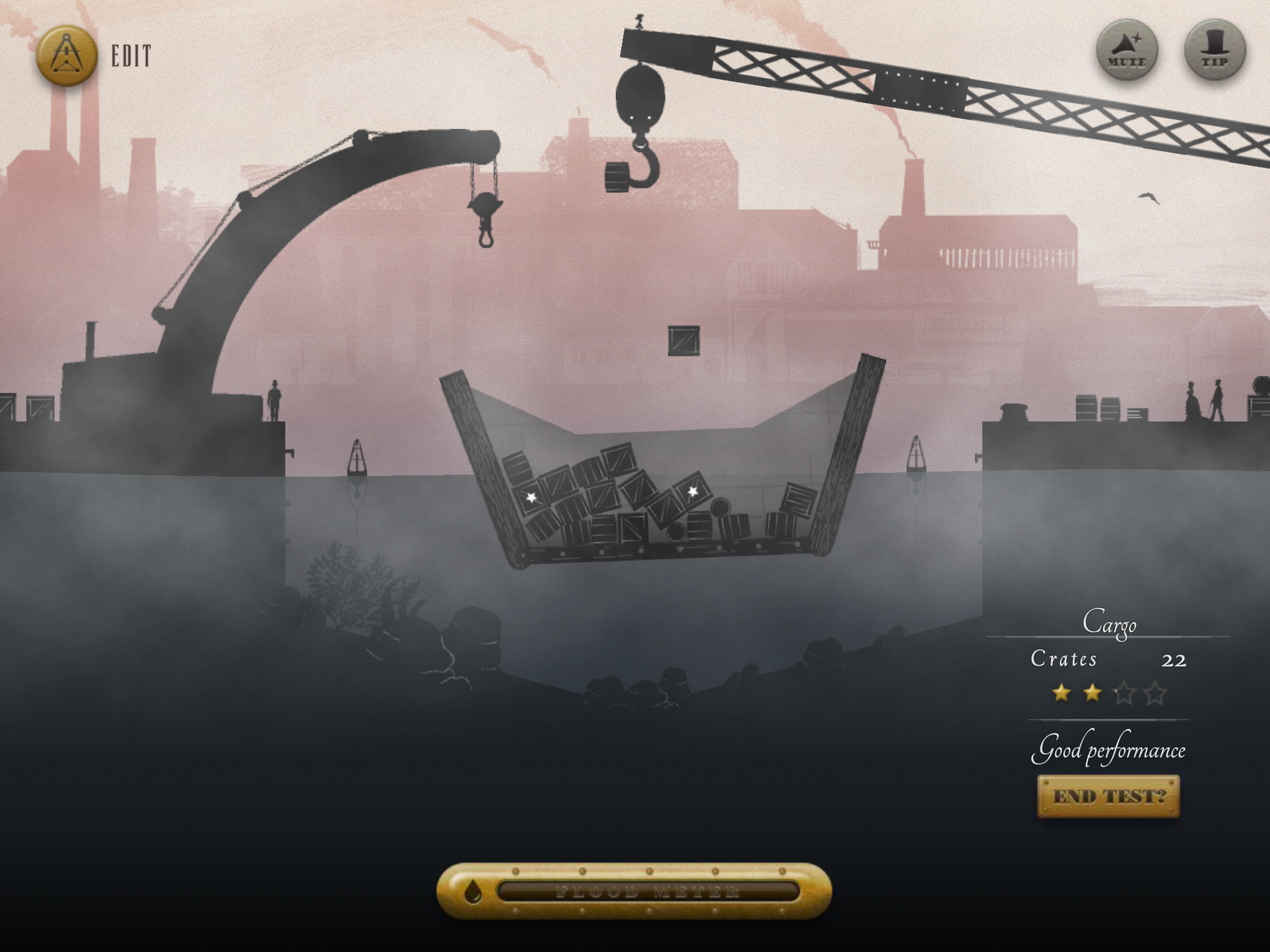
IMG_0054This was my first experience of Starling, which turns out to be a lovely framework. It’s small and simple enough to be understandable (even modifiable as I’ll discuss later), but powerful enough to be very useful. Mirroring the display list APIs means that seasoned Flash programmers feel at home with minimal learning effort too.

It’s well worth being aware of how Starling works for context switches and draw calls. If you can keep these low, performance may surprise you with how strong it is! It’s quite easy to accidentally add in context switches by interlacing sprites from different textures in the same display list container.

Performance on iOS initially looked awful all round. Then I realised that the default quick build mode gives you an interpreted binary, which executes very slowly indeed (maybe 10x slower for code execution). There are other options for creating properly native code, so make sure you understand what each option does before you write off iOS performance as hopeless. The native compile however added an extra 5 minutes to the overall build time on a quad-core i7 processor (which for the test version was just 10’s of seconds).

Because of the excessive build time for a high performance iOS build, I used Android tablets as my mobile development devices and only cross compiled to iOS occasionally to make sure things were still good there. I found AIR’s compatibility across Android and iOS to be exceptional, and the code contains almost no special conditions for iOS. The only major difference I found was in managing selections in textfields, which I couldn’t get to work with iOS’s built in software keyboard.

The other advantage of building for Android first is that installing on devices is far easier. It’s hard to imagine how Apple could have made their provisioning system any less helpful to developers, and the exact opposite can be said for Android. I set up my compile script to simply copy the Android APK file into my Dropbox folder on my desktop, then I could just install it via Dropbox on my devices with just a couple of taps. I could send development links to anyone else via a Dropbox share link too.

While I’m on an Apple rant, I’ll also add that the Google Play store release procedure is leaps and bounds ahead of the Apple App Store’s confusing iTunes-Connect mess. And forcing developers to own a Mac to upload iOS apps? Lousy.

Simulation

Full Steam Ahead is a game about sailing ships of your own design. For that, we needed a half-decent physical model of breakable ships and wavy seas. We chose Box2D as usual for our physics engine, but had to improvise how to do the breakage and water elements.

Destructible Hulls

The ships you design in Full Steam Ahead are capable of breaking up if they hit the shore, sea floor, are overloaded or just badly shaped. A wide and weak ship can be broken up by the action of the waves too. To model this, I take the ship-shape that the user has drawn and chop it into squares on a grid. Then I add the beams that the user has specified around the edges. On top of all that I join adjacent hull cells and beams etc with weld joints. Each frame I check the stress at each joint. Over a limit specified by the materials in question, and I delete the joint and add some damage to the hull texture.

This approach is great because it deals with any situation thrown at it. If a ship is bent in half over a big wave, it will snap along the middle. If the tide goes out and it scrapes a big rock on the sea floor, it will break the hull in the right place. You can even add an engine that is too powerful and rips itself free of the hull at the right point.

What this doesn’t do however is sink. Buoyancy is based on the area below the water, so if a ship floats, so does a small chunk of that ship (as far as Box2D is concerned). To deal with this, the game keeps track of which edges of which chunks are nominally open to the sea. You can deliberately leave parts of the ship open (e.g, the deck) to save weight and cost. We also mark edges as open to the sea if their weld is deleted through being overstressed. If any open edge is under the height of the sea at that point, it starts to flood into the hull’s cell. As it floods I increase it’s density up to a limit, to simulate the extra weight of water inside the compartment.

Flooding a single cell works well, but feels unrealistic. Only the edges of the ship flood when exposed to water, and the rest stays dry. I tried just flooding every cell a little when the ship was leaking, but this leads to more unsatisfactory looking results. A ship open at just one end will sink evenly, rather than going down nose first. Also, a ship that breaks into two parts – one that floods and the other that is still seaworthy – still sinks both halves. The water does not ‘know’ that the two parts are disconnected.

The solution was to spread the water from each cell to its neighbour along the welds. If a weld is present, the water is slowly equalised between the two cells. If there is no weld, the water does not cross into the next cell. This means that a ship floods gradually from any damaged point, not necessarily evenly. A broken but seaworthy chunk may stay floating forever while another part could break off, flood and sink.

Sea

Box2D provides a built in Buoyancy Controller class which gives you a single perfectly straight water line across the world. It extends infinitely in either direction and does not support curves. It works by slicing shapes against the line, and measuring the portion under the water. That part is perfect for Full Steam Ahead, but I had to add the waves myself. The solution was to model the surface of the waves as a sum of multiple sine curves, all defined in the level designs. These are sampled and drawn to the screen as modified Starling Quad objects (they don’t have a texture, just an alpha colour). The modification is that they don’t have to be perfectly rectangular. Instead they are trapezoid columns, together modelling the top of the wave in segments.
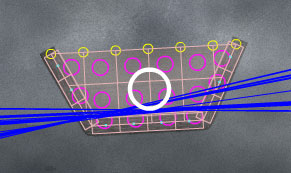
full-steam-ahead-buoyancyTo compute the physics, each floating cell of the ship is given its own buoyancy controller (blue lines in the screenshot). Each frame, I update the controller by re-sampling the sea waves at the X position of the object. As far as each individual floating item is concerned, the sea is flat (although probably angled and moving over time). Aggregated together, the ship’s hull experiences a curved wave.

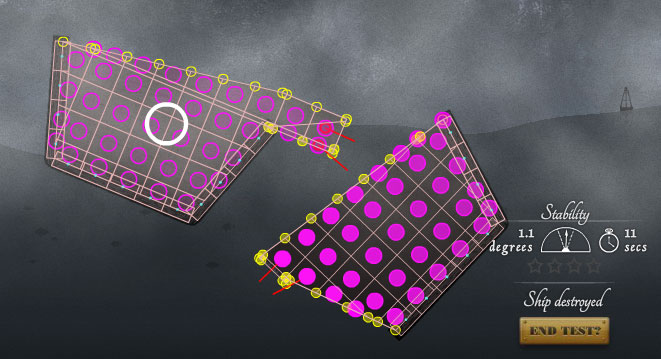
With any complex simulation like this, it is essential to be able to see what’s going on behind the scenes while developing. The screenshot below shows the cells of a broken ship in pink, with red lines indicating broken welds. Yellow lines indicate flooding points (filled in yellow if they are currently underwater). Pink circles show centre of mass of each cell, and have darker centres if they are more flooded. The large white circle shows the centre of the largest connected part of the ship, and is used to determine what the camera watches.
full-steam-ahead-debug


Hero Squad: Rapid Response

Sunday, November 18th, 2012

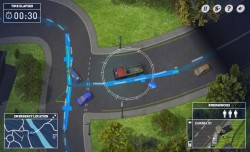
Hero Squad: Rapid Response, is an ambitious driving/flying/sailing game built with Aardman Digital for the BBC. It helps promote a new children’s show called Hero Squad on CBBC. Train for active duty in the rescue services alongside the kids in the TV show!

Play Hero Squad: Rapid Response.

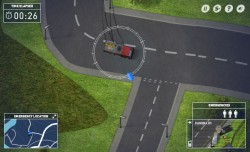
This game plays much like the earlier GTA games (now available as fully legal free downloads), but with a lot less nefarious activities. It’s all about getting to the scene of an incident as fast as you can in either a fire engine, a lifeboat, or a coastguard helicopter.

There were quite a few technical innovations required to bring this game to life. We wanted the gameplay to exist in a large free-roaming game world so that you could plat your own route to each incident. You can take shortcuts if you want, and the road layout was meant to look plausibly like a fictional coastal town in the UK. This meant that roads should almost never be set on a grid, which always makes a game map look like an American city.

CGI

You view the action from essentially a top-down view, except that it’s not quite directly above. The camera looks to the north slightly so you can see the sides of buildings, vehicles etc. To achieve this, all relief sprites in the game were created by Aardman’s awesome CGI department, and rendered into 3D turnarounds of each item. Every car, boat, building, tree, fence and even lamp-posts is a multi-layered set of sprites, separated into a colour layer, a shadow layer and sometimes into a matte layer (for vehicle recolouring). The sheer amount of assets included is astonishing, and runs to several thousand separate bitmaps.

Map

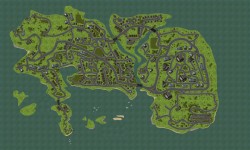
The map itself is created in Flash, and composed of the aforementioned sprites for buildings and vegetation, dynamically depth-sorted above textured vector roads and fields. The area of the map is simply huge, being 20480px wide and 12288px tall. Far too big to work on in one piece in Flash. Simply viewing the full size map at once in the IDE easily causes Flash to crash, so the map is broken into 1024x1024px squares. These exist on individual frames in small groups of tiles, so that the seams can be worked on in-situ for each larger area.

At runtime, each tile is only added to the stage as needed, along with all the underlying physics logic for that tile. At any one time, there are only a few small chunks of the map in action, which keeps the number of items being depth-sorted low. It also keeps the amount of objects in Box2D to a minimum, making collisions faster to process. Tile graphics are cached to bitmaps as the vectors are rendered, of course. This doesn’t include buildings and other relief objects however, as these have to be depth sorted against the traffic on the roads.

We processed the map into a single 250 megapixel image after production. Placing it side-by-side with exports of the GTA-3 map, they are roughly equivalent! We believe this to be by far the biggest continuous, non-tileset game area of any Flash game to date. If you know of any bigger, post a comment!

Download large JPEG (1mb)

Download HUGE JPEG (30mb. Warning: This may crash your browser!)


Physics

In-game physics is provided by the ever-spectacular Box2D. The helicopter is a pretty simple vectored-thrust model. A torque is applied to turn it to a heading, and a rotational friction is applied to fight that action. Forwards/backwards are simple impulses.

Lifeboat physics is more complex. It consists of a virtual keel that opposes sideways motion, but not fore/aft motion. The motor just pushes the boat forwards, and a torque changes it’s heading. It’s actual path of motion however is determined by the sideways-force on the keel.

The firetruck (and all cars/busses/lorries) have the most complex physics model. It has two virtual wheels that operate a bit like the boat’s keel, but at each end of the vehicle. When the player steers, the front wheel is turned smoothly to an angle. Slip angles are calculated from the linear motion at the point of the wheel, and a sideways force is generated and applied. The resultant slip angle force is a simple model that works similarly to real tyres, where more angle means more force – up to a limit. After that, grip drops off progressively. Acceleration/braking is applied as a force along the line of the wheel, and steals from the traction circle available for sideways forces. Accelerating/braking also affects a weight-shift variable, which modifies the grip available (the size of the traction circle) at each end of the vehicle.

This attention to detail means that you can get all sorts of realistic looking situations happening with the firetruck dynamics. Accelerate through a corner and it will understeer. Brake mid corner and it’ll plow straight on. Lift-off mid corner and you’ll get oversteer, which you can catch with opposite lock and a powerslide if you’re skilled enough! If not, you may end up fishtailing, or spinning out entirely. You can do reverse J-turns, and even donuts if you set it up just right with a suitable piece of grass.

For the ground, the same physics are created no matter which vehicle you happen to be driving at the time. There can be sea, air and road traffic existing together no matter which vehicle you’re using. Extensive use of Box2D’s built in collision bits and categories helps differentiate the various things that should collide for each of the vehicles. For example, boats collide with the grass layer so that they never cross land. The helicopter only collides with the special tall building layer, which is not in the same position as the ground building collision layer. The firetruck collides with buildings, vegetation, fences and fields of course, but also collides with the grass layer but with no collision response. It is only used to determine when to put cars into a low-grip situation so they slide further on the grass.

Vehicle AI

Non-player-controlled vehicles in Hero Squad are driven by a computer AI. They follow guides built into the map tiles, but they have to be real drivers. To make collisions with other cars look as realistic as possible, all cars are physically modelled. That means the AI drivers have to actually use an accelerator, brakes and steering just like the player does. They measure their distance from a centre-line that runs down the middle of every drivable road, and try to steer such that they are a set distance to the left of it. When you press space to sound your siren, they internally alter this distance to be greater, and the AI automatically pulls them over to the edge of the road. Drivers are free to go wherever they like, and at any junction they just pick a random direction to drive in. Some roads are marked as one-way, so drivers don’t end up in dead-end streets with nowhere else to go.

Cars are added to the map to random road segments that are off-screen. The AI has to be smart enough to deal with what happens if there are no more road segments – remember there’s not much of the map available at any one time. When they’re lost, and don’t have a current road segment to follow, they are eligible for removal from the world, and are recycled into a new car somewhere else.

Wind/Water currents

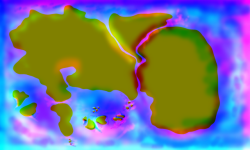
When flying the helicopter, and driving the boat, you are pushed around by wind and currents in the water. Both effects are achieved with a bitmap vector field directing the flow of each particle. New particles are instantiated at random. Every frame, they look up the colour in the vector field bitmap. The red channel encodes the left/right force, and blue encodes up/down. The particle simply moves according to that force.

The vector field image itself was created by hand in Photoshop. I started with a simplified monochrome map of the land. Then I painted 0x800000 to the red layer, and 0x000080 to blue. These values are right in the middle, and mean “no force”. Then I painted bright red to the land anywhere I wanted the water to flow right, and black wherever I want it to flow left. The same with blue for up/down. If you want to reduce the amount of current in an area, you simply paint with 0x800000 or 0x000080 to bring the values back to the ‘middle. This is very similar to how Flash’s BitmapDisplacementFilter encodes values.

Once finished, the layers are set to blendmode “add”. The resulting bitmap encodes all the forces that make up the currents. You can use things like the smudge tool and blur filters to alter the smoothness and tweak individual areas. I managed to get the water flowing around rocks, up and down streams and so on with this method.


Hanna in a Choppa 2

Tuesday, May 1st, 2012

Hotly anticipated sequel to the original comes Hanna in a Choppa 2. In this huge development of the original game you can fly 11 different vehicles across over 50 levels. Every level has a secret to discover, quiz questions to solve, random humour and more.

Play Hanna in a Choppa 2

This sequel offers fans of the original a much deeper gameplay experience. My final test to be sure that every single achievement was possible took over 12 hours from start to finish!

Just because it’s a deep game however, doesn’t mean you have to struggle through it all. It has been designed in the same way as the original, to grow and shrink to the player’s gameplay preference. If you want a short experience, just play through the new levels with the suggested vehicle each time. Love the new biplane? Cool – beat every level with it. Love a particular level? Great, master it with every vehicle. Love secrets? Ace, have at ’em. Think you can spot a reference? Prove it with the built in quiz. Think you’re the baddest ass-ist gamer ever? Get the lot, I dare ya!

Do as much or as little of the extras as you want. Enjoy!

Tony Robinson: Weird World of Wonders

Tuesday, May 1st, 2012

This puzzle-platformer game was built with Aardman to help promote Tony Robinson‘s new series of lovely children’s history books.

Play Tony Robinson’s Weird World of Wonders.

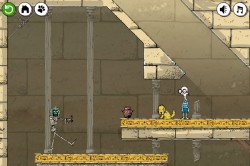
In every game I try to introduce something new and original. In this one, you control two characters at once. Pee Wee and Nits. The boy Pee Wee can be controlled with arrow keys, and Nits, his dog, can be controlled with the mouse. That means that two people can play side by side on the same computer, in a cooperative manner. It’s great fun, give it a go and try to solve the level puzzles with your best mate!

I’ve loved Tony Robinson’s acting work since I was young, watching him play Baldrick in the Blackadder comedies. It was an amazing privilege to work with him on this project. His browbeating voiceovers totally transform the game, injecting character and humour throughout.

Home Sheep Home 2: A Little Epic

Friday, December 9th, 2011

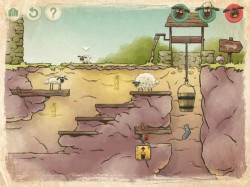
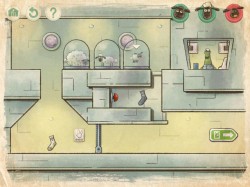
Help Shaun, Shirley and Timmy find their way home in this super-cute BAFTA-nominated physics puzzle platformer.

Play the London episode on the web, free

Play the Underground episode on the web, free

Visit the official site to buy the game for your PC or iPhone/iPad

After the success of the original Home Sheep Home, Aardman asked me to work on a sequel with the ultra-talented artist/animator, Robin Davey (who did all the art/animation for the first game too). The original game was a pure Flash web game, hastily built just to raise brand awareness for the Shaun the Sheep show. The new game was to be a multi-platform paid download game, as well as a free-to-play web game. We had our work cut out for us!

So, what could both work as a free web game, and as a paid download? Why would anyone pay to play something they can play for free? Well, we came up with a few reasons:

  • Super high resolution graphics, running super-smooth in full screen
  • Lots more content – more episodes, bonus levels, more to collect
  • Developer’s commentary
  • Exclusive fun/silly cheat modes
  • Runs on your iPhone/iPad

Robin and I scratched our heads, scribbled lots of notes, drank lots of tea and ate lots of biscuits until we had a rough plan of the game. Then came months of hard work building it all. Top-designer Gavin Strange worked on the lovely interface screens. Tech genius Richard Davey orchestrated a textbook perfect technology-intercept with AIR3 for the desktop version, and lots of other people at Aardman were involved (check the in-game credits for the full list).

Alongside our own development we also worked closely with the amazing Mobile Pie to help them create the iOS version of the game. Mobile Pie’s star developer Matt Arahna and the rest of the team did a truly spectacular job of bringing the experience to the iPhone and iPad. They slaved for months ensuring the mobile version played just like the desktop and web versions, including every frame of the rich animation, beautiful layered backgrounds, physics, controls and more.

It’s been a long journey, and one of the most complicated projects I’ve ever been involved with! The multi-platform end product was well worth all the hard work though, and although the game has only been out for a couple of days as I write, it has already had hundreds of thousands of plays. Initial feedback from players seems very positive too! That’s the bit that really matters in the end – bringing a beautiful and fun experience to people who love games.


Championsheeps: Baahmy Golf

Sunday, December 5th, 2010

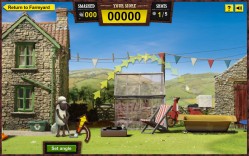
Bhaamy-GolfChampionsheeps is a new suite of five children’s games, produced by Aardman Digital for the BBC. I worked on coding the Baahmy Golf game within the suite. The graphics and concept were all worked out when I got to this one. I just had to make everything work!

In Baahmy Golf, it’s Shaun’s job to break as many things as he can with just five shots. Almost all of the items visible are interactive in some way, so smash away and enjoy the show! Don’t forget to use your unconventional flippers (lids, a toilet seat, even a duck) to keep the ball in motion.

Play Championsheeps now!

Wallace’s Workshop

Friday, October 15th, 2010

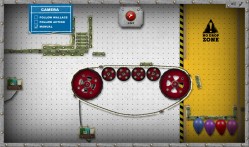
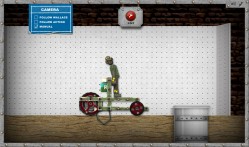
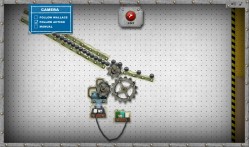
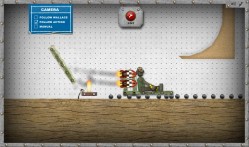
wallaces-workshop-0Unleash your inner inventor and build crazy contraptions in the BAFTA winning Wallace and Gromit game, Wallace’s Workshop. You’ll need to use your intelligence, imagination and cunning to build everything from battery powered cars and rocket powered sleds, to Heath-Robinson contraptions and giant trebuchets!

Play Wallace’s Workshop now!

This Flash game is a little deeper and more involved than a lot of the other games I’ve produced. Take your time, and don’t be afraid to skip ahead if you can’t figure something out.

wallaces-workshop-2

Crazy contraptions!

wallaces-workshop-4

Battery powered car

wallaces-workshop-1

Inventive machines

wallaces-workshop-3

Rocket sled!

Rocket Science for Fun and Profit

Tuesday, September 21st, 2010

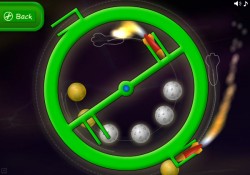
rocket-scienceShoot rockets at planets in this fun casual physics game. You too can join the ranks of the very best scientists in the history of the world, and try to find that elusive perfect trajectory.

Play Rocket Science.

Timmy Time: Bleat Dreams

Monday, May 24th, 2010

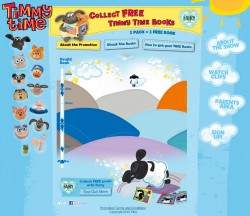
timmy-time-bleat-dreamsBounce Timmy as high as you can in this gentle-paced dreamy casual game. Land on the squishy cushions to leap up again, and pick up bonuses for a boost! Log into your Facebook account in-game to compete against your friends.

Sprocket Rocket

Saturday, May 15th, 2010

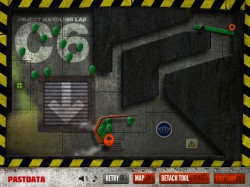
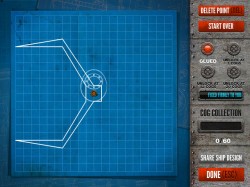
sprocket-rocket-1Use your imagination to modify your spacecraft in this Wallace & Gromit game built for the Intellectual Property Office (IPO). Draw a shape and it is attached to your craft and works in the game world. Can you create the perfect tool for the job?

Play Sprocket Rocket now.

sprocket-rocket-2